Check your meaning
How to Review and Correct Captions in FoxTake
FoxTake generates captions from recognized speech and can use the script as a correction aid. Check the captions against what you actually said, then edit incorrect words. A caption text edit changes words, not timing.
The recording is the source of truth
Your take may differ from the script: you might add an example, correct a date or qualify a claim. Those spoken changes should not be replaced with older prepared wording.
Choose the language spoken in the take. Interface language, source speech language and translation target are separate choices. Eight interface languages do not establish identical speech or translation support on your device.
Open caption review
- Enable captions in the making options and choose the output.
- For checking before rendering, enable Review Before Making (called Check Before Making in some builds). The setting is off by default.
- Inspect flagged items, then switch to All Lines to check the rest.
- Play a line's audio before deciding on its wording.
You can review and remake after the first render as well. Rendering first does not mean every caption was already checked.
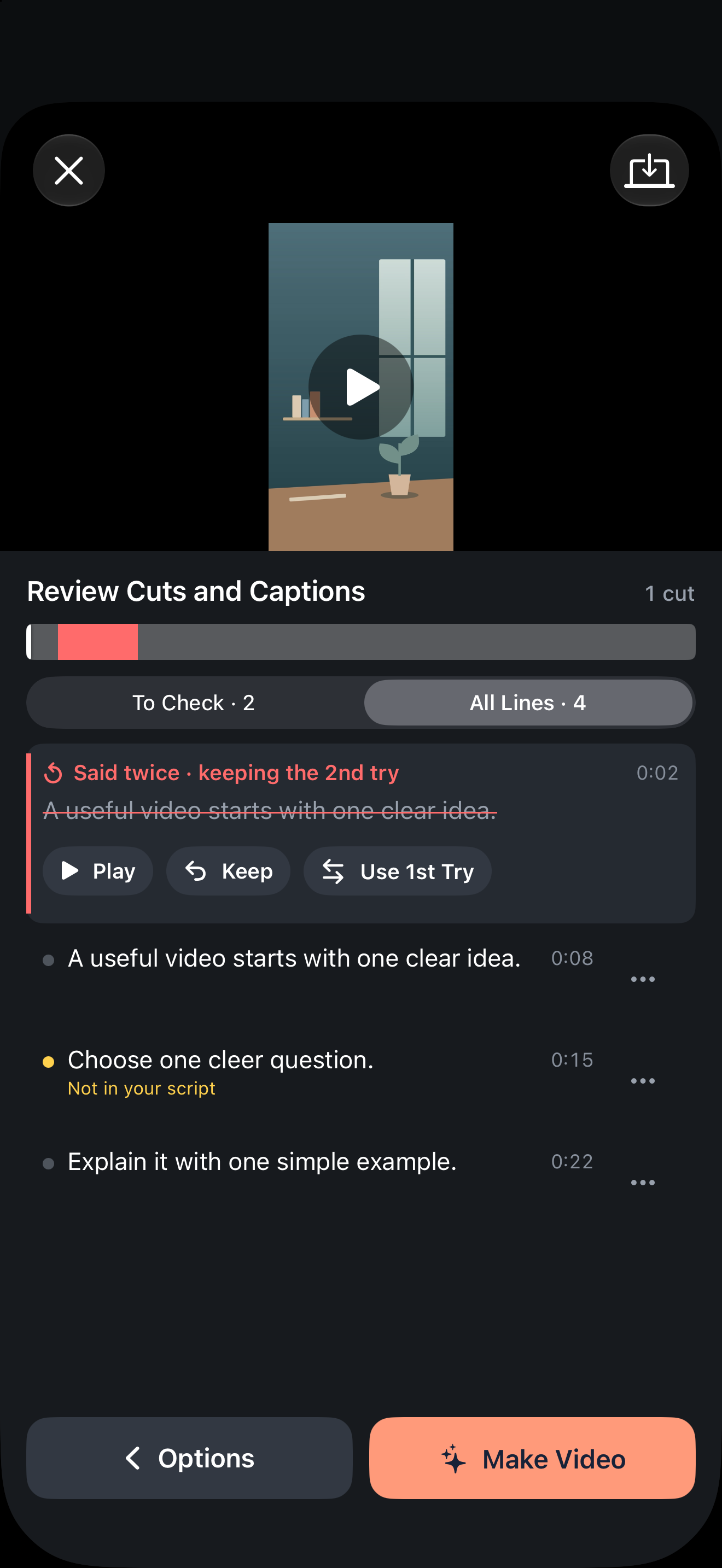
Edit words without changing timing
Use a caption line's edit action, correct the words and save. This does not alter the line's time range. If timing is wrong, replacing text will not fix synchronization; check the final result and report the issue with your app version.
Labels distinguishing script matches and words outside the script are cues to inspect, not proof that an improvised sentence is incorrect. When a line is hidden, decide whether to show it rather than assuming omission is intended.
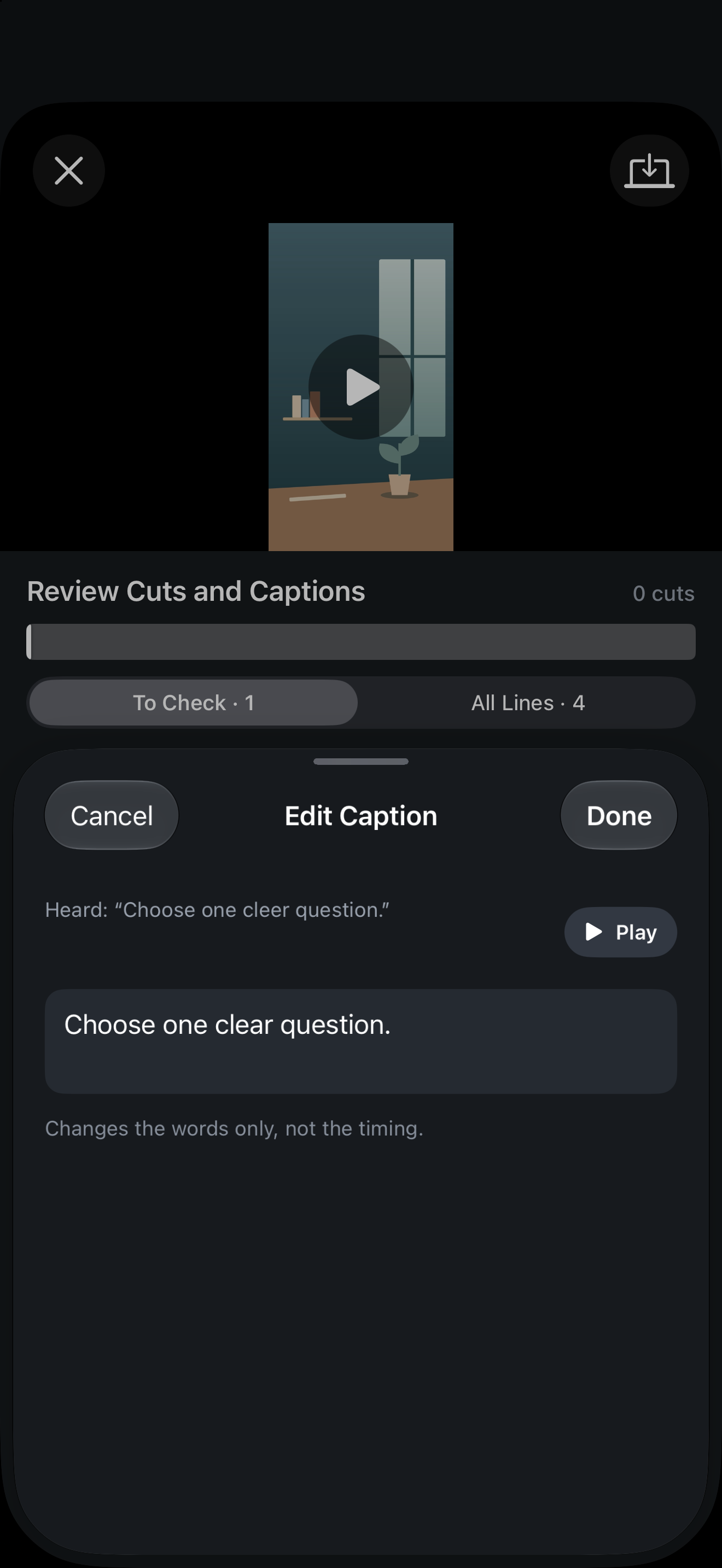
A meaning-preservation checklist
- Negations: ensure
does not
did not becomedoes
. - Figures: verify amounts, units, dates and ranges against the audio.
- Names: check specialist vocabulary and proper names.
- Qualifications: retain
may
,usually
andin this case
. - Cuts: inspect captions on both sides of edited sections.
These checks preserve expression. FoxTake does not independently validate medical, legal, financial or other professional facts.
Check translation and exported files separately
If you add a translated second line, compare it with the confirmed source words. Check dates, units and caveats again. Language and network conditions can affect translation; missing second captions do not establish success.
Play the exported video and inspect the SRT if you chose it. Correct source words alone do not prove that translated wording, line breaks, synchronization or platform placement are correct.
Version and sources
Written for international FoxTake 2.0, based on the published App Store description and release implementation. Other interface languages use localized control labels.